
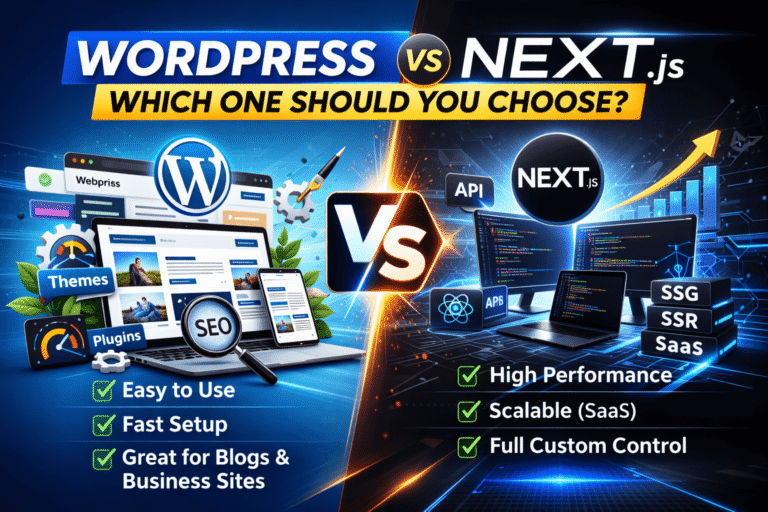
WordPress vs Next.js: Which One Should You Choose?
Choosing the right platform for your website can shape everything that comes after — development speed, SEO performance, scalability, maintenance cost, even how fast you can launch.
Two popular options dominate the conversation today: WordPress and Next.js.
Both are powerful. Both are widely used. But they solve problems in very different ways.
So which one should you choose?
Let’s break it down properly.
1. What Is WordPress?
WordPress is a content management system (CMS) that powers more than 40% of websites on the internet.
It allows you to build:
Blogs
Business websites
E-commerce stores
Portfolio sites
Membership platforms
You don’t need to be a developer to launch with WordPress. Themes and plugins handle most of the heavy lifting.
There are two main versions:
WordPress.org (self-hosted)
WordPress.com (managed hosting)
When most developers talk about WordPress, they mean the self-hosted version.
2. What Is Next.js?
Next.js is a React-based framework built for modern web applications.
It’s developed and maintained by Vercel.
Next.js allows you to build:
High-performance websites
SaaS platforms
Custom web applications
Headless e-commerce
Enterprise dashboards
It supports:
Server-side rendering (SSR)
Static site generation (SSG)
API routes
Full-stack capabilities
Unlike WordPress, Next.js is developer-focused. You’ll need solid JavaScript and React knowledge to build with it.
3. Ease of Use
Let’s start simple.
WordPress
WordPress wins in ease of use.
You can:
Install a theme
Add plugins
Customize visually
Manage content from a dashboard
No coding required for basic setups.
This makes it ideal for:
Small business owners
Bloggers
Agencies building client sites quickly
Next.js
Next.js requires coding.
You must understand:
React
JavaScript/TypeScript
APIs
Deployment processes
It’s powerful but not beginner-friendly.
Verdict:
If you want fast setup without heavy coding, WordPress is easier.
4. Performance
Here’s where things get interesting.
WordPress Performance
Out of the box, WordPress can be slow. Especially if:
You use heavy themes
Install too many plugins
Use cheap hosting
But with optimization:
Caching
CDN
Clean themes
Image compression
WordPress can perform very well.
Still, performance often depends on how well it’s built.
Next.js Performance
Next.js is designed for performance.
It offers:
Static site generation
Server-side rendering
Automatic code splitting
Image optimization
Because of its architecture, Next.js apps are typically faster and more efficient.
Verdict:
For raw performance and technical flexibility, Next.js has the edge.
5. SEO Capabilities
SEO matters. A lot.
WordPress SEO
WordPress is SEO-friendly by default. Plus, plugins make it even stronger.
With proper setup, you can:
Customize meta titles and descriptions
Generate XML sitemaps
Manage schema markup
Optimize URLs
It’s beginner-friendly for SEO.
Next.js SEO
Next.js gives you full control over SEO because you control the code.
You can:
Customize metadata manually
Use SSR for better crawlability
Optimize Core Web Vitals
Structure content precisely
However, you need to implement SEO properly. There’s no plugin doing it automatically.
Verdict:
WordPress is easier for SEO beginners.
Next.js offers more control for advanced developers.
6. Scalability
Think long-term.
WordPress Scalability
WordPress scales well for:
Content-heavy websites
E-commerce stores
Medium-sized businesses
But very large, complex applications may require heavy customization.
Next.js Scalability
Next.js shines for:
SaaS products
Enterprise apps
High-traffic platforms
Complex systems
It’s built for modern, scalable architecture.
Verdict:
If you’re building a SaaS or advanced web app, Next.js is the better choice.
7. Development Speed
Time matters.
WordPress
You can build a business website in days.
Themes + plugins = rapid deployment.
Agencies love it because it’s efficient and profitable.
Next.js
Development takes longer.
You build:
UI components
Backend APIs
Integrations
But the result is fully custom and optimized.
Verdict:
For speed and quick launches, WordPress wins.
8. Customization and Flexibility
WordPress
Customization is limited by:
Theme structure
Plugin compatibility
PHP-based architecture
You can extend it heavily, but complexity increases.
Next.js
You control everything.
UI.
Backend.
Performance.
Architecture.
No limitations beyond your development skill.
Verdict:
Next.js offers unlimited flexibility.
9. Security
WordPress
Because it’s popular, it’s frequently targeted.
Security depends on:
Plugin quality
Updates
Hosting environment
With proper maintenance, it’s secure. But neglect causes problems.
Next.js
Security is more controlled because:
Fewer third-party dependencies
Custom architecture
API-based logic
However, developers must implement best practices.
Verdict:
Next.js offers more structural security, but both are safe when maintained properly.
10. Cost Comparison
WordPress Costs
Hosting
Premium themes
Plugins
Maintenance
Lower development cost. Ongoing plugin costs possible.
Next.js Costs
Developer time
Hosting (often on platforms like Vercel)
Backend services
Maintenance
Higher development cost. But more control long-term.
Verdict:
WordPress is more affordable upfront.
Next.js is an investment for advanced projects.
11. When Should You Choose WordPress?
Choose WordPress if:
You’re building a blog
You need a business website
You want fast deployment
You’re not deeply technical
You want easy content management
You’re running a standard e-commerce store
It’s practical, reliable, and proven.
12. When Should You Choose Next.js?
Choose Next.js if:
You’re building a SaaS product
You need high performance
You want complete UI control
You require complex logic
You’re creating a scalable web app
You’re comfortable with React
It’s powerful and future-focused.
Final Thoughts
There’s no universal winner here.
WordPress is excellent for content-driven websites and fast launches.
Next.js is ideal for custom applications and high-performance systems.
What this really comes down to is your goal.
If your priority is speed, simplicity, and cost-effectiveness, WordPress makes sense.
If your priority is scalability, performance, and full control, Next.js is the smarter choice.
Pick the tool that matches your vision — not just what’s trending.
That’s how you make the right decision.